Deployments
The Deployments module is where you roll out applications to devices and watch their progress in real time.
Who can access this: all roles can view; operators can create and roll out; admins can also approve deployments that require it.
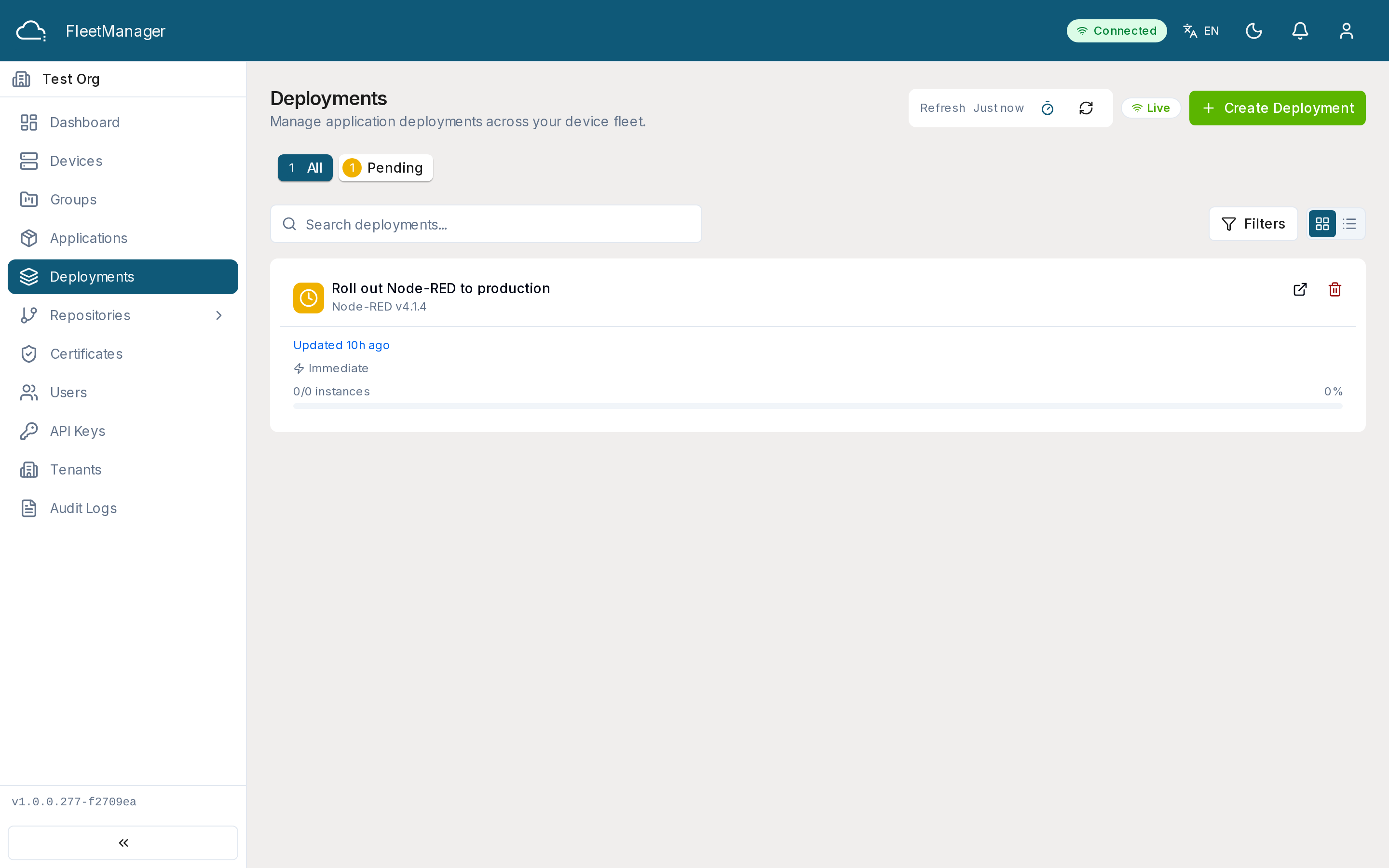
Creating a deployment
Section titled “Creating a deployment”Deployments are created from the Applications module (or via Deploy To on a group), using the 5-step wizard: pick the application/version, choose target devices, set parameters, choose a rollout strategy, and submit.
Rollout strategies
Section titled “Rollout strategies”| Strategy | How it behaves |
|---|---|
| Immediate | All targeted devices deploy at once, no batching. |
| Canary | A percentage of devices deploy first; if healthy, the rest follow — automatically (after an optional delay) or after you Promote Canary. |
| Rolling | Devices deploy in batches; each batch proceeds automatically or after you Approve Batch. |
You can also enable auto-rollback, which reverses the deployment if failures exceed a threshold you set (by percentage or count).
What you see
Section titled “What you see”The list shows each deployment’s name, application + version, status, strategy, and an instance summary (e.g. “3/5 successful”). Filter by search, status, strategy, or application, and sort by updated/created/name/status.
Monitoring and controlling a rollout
Section titled “Monitoring and controlling a rollout”Open a deployment to see live progress. The detail page shows the target selector, a rollout progress bar with the per-instance breakdown, the per-device instances (status, download progress, attempts, last error), the full configuration, and a timeline of events. It updates live.
Depending on the deployment’s state, the actions available include:
- Start (when pending),
- Promote Canary (when a canary phase is ready),
- Approve Batch (rolling, manual approval),
- Pause / Resume,
- Rollback (optionally with a reason),
- Cancel, and Delete (once finished).
Status values
Section titled “Status values”A deployment moves through these states, mirroring the Margo lifecycle:
pending → installing → installed, or failed; a rollback goes removing → removed. See Margo · Deployment Status for the underlying spec.