Applications
The Applications module is the catalog of workloads you can deploy to your devices.
Who can access this: all roles can browse; deploying requires operator or admin rights (see Deployments).
Where applications come from
Section titled “Where applications come from”You do not create applications by hand. The catalog is populated by registry sync: the platform syncs your Git and OCI registries and discovers application manifests and images. Each discovered version is indexed and immutable.
An application’s availability reflects its sources:
- Available — at least one registry still provides it.
- Source unavailable — every source registry has been removed.
What you see
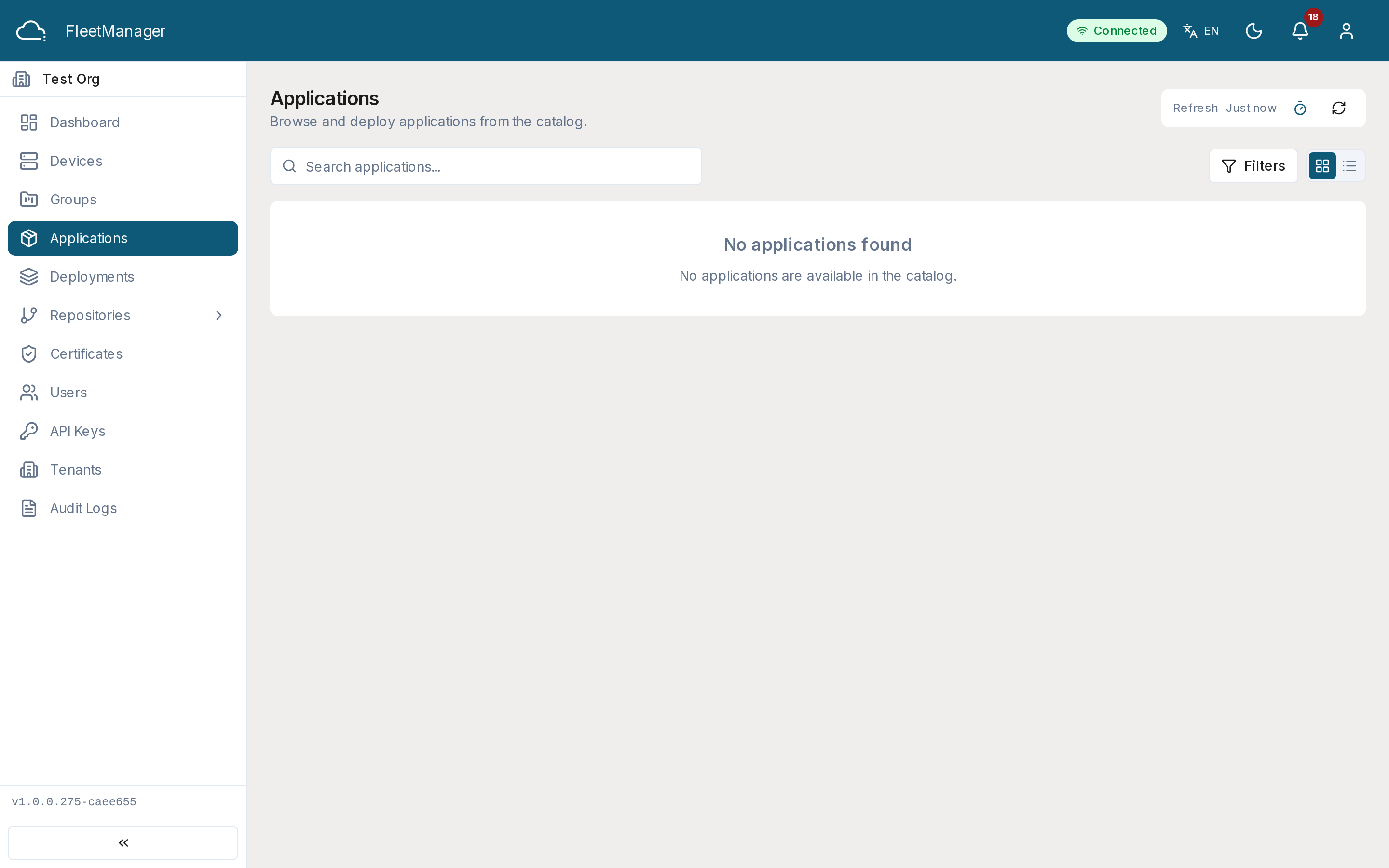
Section titled “What you see”The list shows each application’s name, vendor, category, latest version, the deployment profiles it supports (Docker Compose, Helm, Kubernetes, Podman), and when it was last updated. Filter by search, category, deployment profile, vendor, or availability.
Application detail
Section titled “Application detail”Opening an application shows its metadata and description, a version history, and, for the selected version:
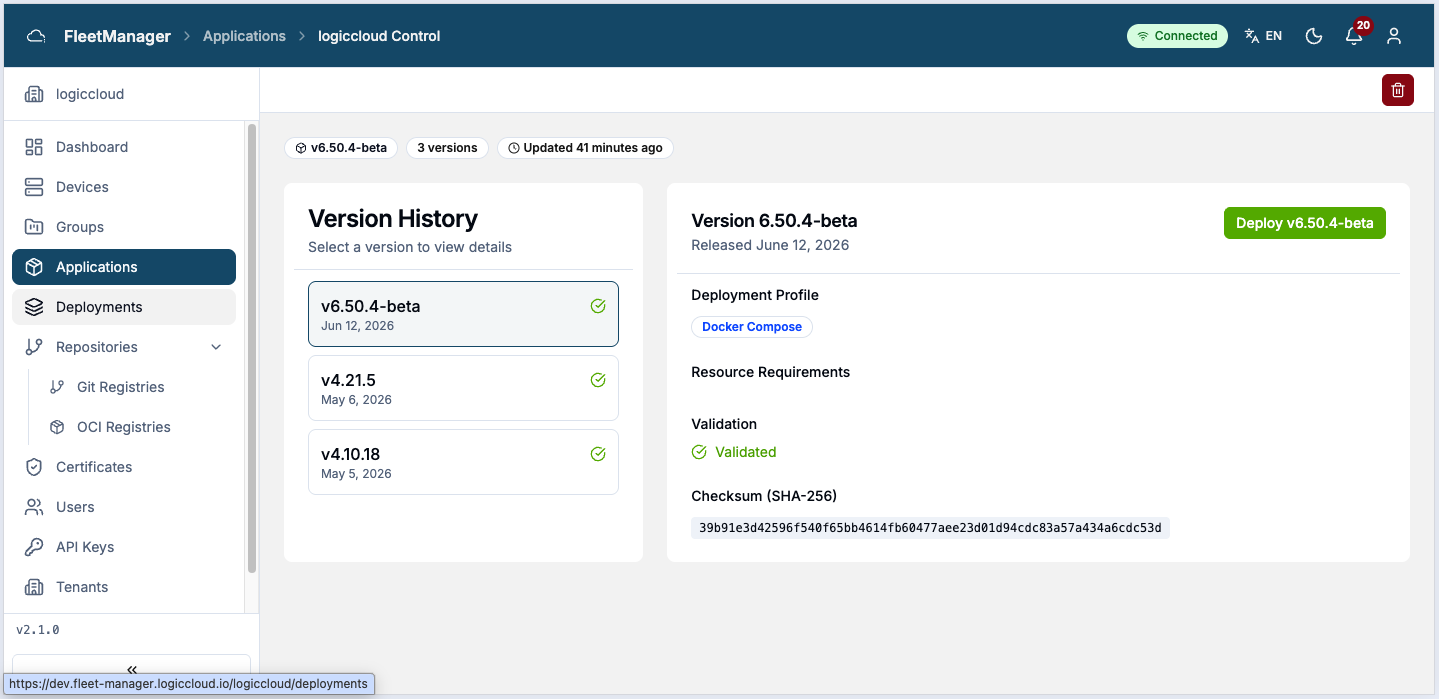
- the deployment profile,
- resource requirements (CPU, memory),
- compatible devices,
- the SHA-256 checksum and minimum Margo version,
- and the source registries that provide it.
Deploying an application
Section titled “Deploying an application”Click Deploy on an application (or Deploy To from a group) to open the 5-step deployment wizard:
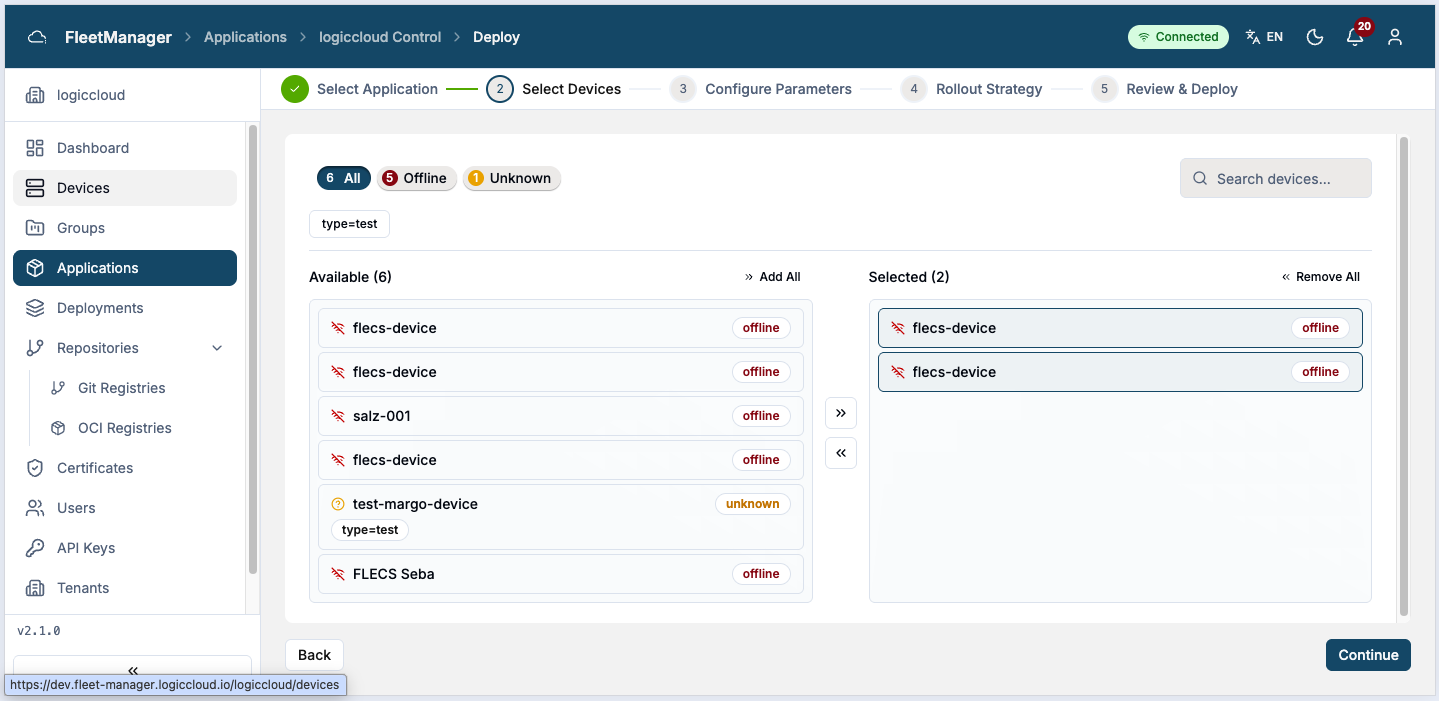
- Application — confirm the application and version.
- Devices — select target devices, or target them by label/group.
- Parameters — override any configuration parameters the manifest exposes.
- Rollout — choose a strategy (immediate, canary, or rolling) and configure auto-promote/auto-rollback behavior.
- Summary — review and submit.
Submitting creates the deployment and takes you to its detail page. See Deployments for the full rollout reference.