Audit Logs
The Audit Logs module is an immutable record of who did what in your tenant — every create, update, and delete across devices, deployments, users, certificates, and more.
Who can access this: admins and operators.
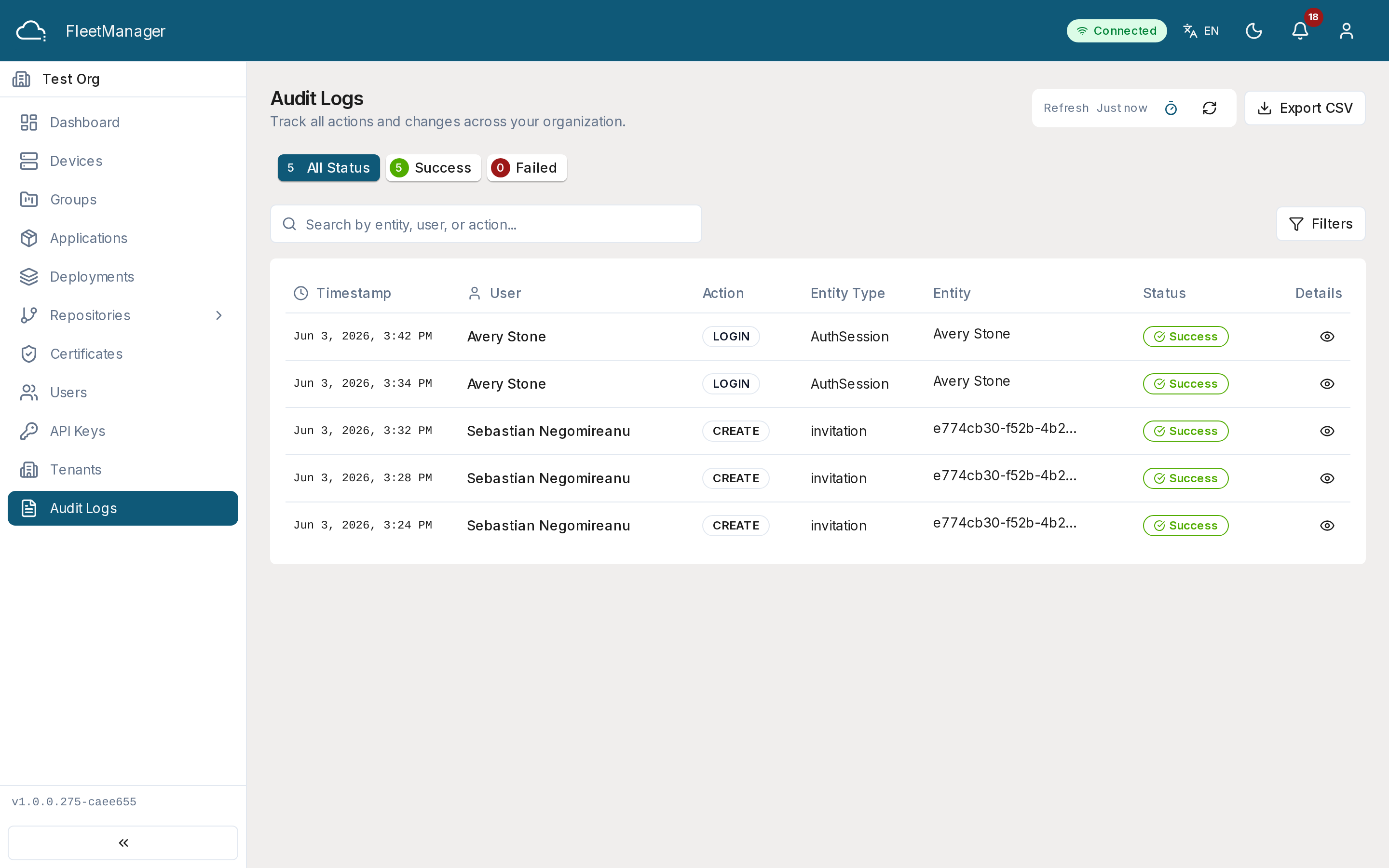
What you see
Section titled “What you see”A table of audit entries, each showing the timestamp, the actor (a user, an API key, or the system), the action, the affected entity (type and name), and a success/failed status. Status bullets summarize success vs failed and filter the list.
Finding entries
Section titled “Finding entries”Combine the filters to narrow the log:
- Search across timestamp, actor, action, and entity.
- Action and entity type dropdowns.
- A date range.
Click an entry to open its details: the actor, action, entity, IP address, the specific fields that changed, and an error message if the action failed.
Exporting
Section titled “Exporting”Click Export CSV to download the currently filtered entries as a CSV file (including IP address and changed fields) for archiving or external analysis.
Status values
Section titled “Status values”- success — the action completed.
- failed — the action was rejected or errored; an error message is recorded.